

Take maths beyond paper and pen
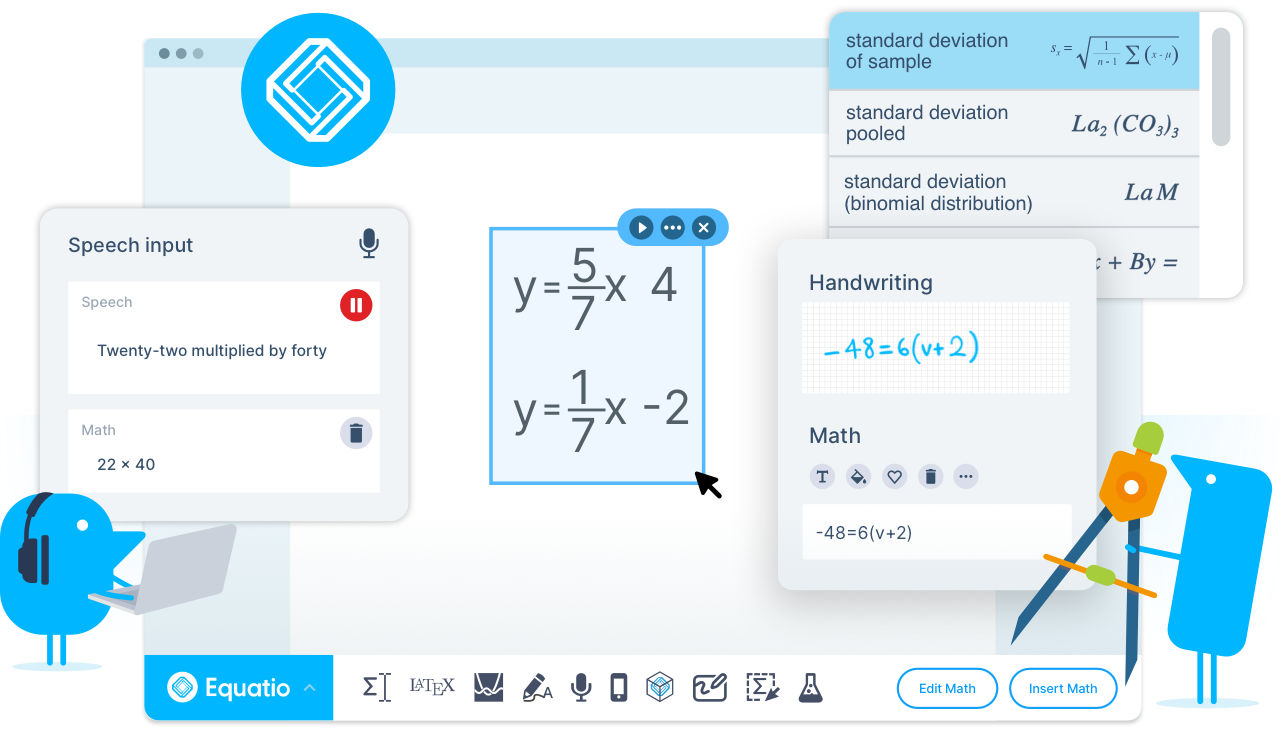
Equatio is a powerful equation editor that makes it easy to create digital, accessible maths. It saves time, lowers stress and eliminates frustration. It makes maths and science more accessible and engaging for every student.
- Equation editor: Create your maths and science expressions by typing right into the editor. Use Prediction to insert fractions, exponents, operators, formulas, chemical symbols, and more.
- LaTex Editor: This is very useful for anyone used to writing math in LaTex or for advanced users. Equatio’s technology has taken the hard work out of creating and editing LaTeX expressions.
- Desmos Graphing Calculator: Create and customise single or multiple graphs, plot ordered pairs or tables of points and more, with this tool powered by Desmos graphing calculator.
- Equatio Mobile: All the tools for digital math, right at your fingertips, on a mobile device or iPad.
- Handwriting recognition: Handwrite maths expressions using a touchscreen device or mouse pointer.
- Screenshot reader: This tool can read math aloud and also turn any equation across the web into accessible, editable math.
- Equatio mathspace: A web-based tool that allows math learners to work freely in a digital space with equations, shapes, and freehand drawings.
- STEM Tools: Equatio is not just for math educators. We’ve got tools for science teachers too. With a chemical formula writer, periodic table, and more.
- Speech input: Dictate equations and formulas aloud. Equatio understands what you’re saying, turning your spoken input to written expressions. Using a microphone to dictate work is particularly useful for students with dyslexia, poor or limited motor skills, vision impairments and physical disabilities.
Click here to download Equatio and use your UC email details to sign-up.
For assistance or a 1-on-1 demonstration, write to assistech@canterbury.ac.nz

